
A fast, familiar, Notepad‑style text viewer for Your Terminal.
I’m excited to introduce the first public alpha release of Notepad.Net TUI, a lightweight, terminal‑native text reader designed for anyone who wants a clean, fast, and familiar Notepad‑style experience, without ever leaving the command line. This early release is intentionally focused and stable, giving you a dependable foundation for reading and navigating text files directly inside your terminal.
You can install the tool globally using:
dotnet tool install --global notepad.tui
Because the tool is installed globally, you can run by just calling notepad.tui from any directory in your terminal.
This alpha is read‑only by design, forming the first milestone in a multi‑phase roadmap toward a full terminal‑based editor with modern architecture, clean separation of concerns, and a reusable editing engine.
Why a Notepad‑Style TUI?
Most developers and power users know the feeling: you’re deep in a terminal session, you need to inspect a file quickly, and your options are either a pager or switching out to a GUI editor. Notepad.Net TUI fills the gap between those worlds.
And with recent Windows releases, Notepad has gotten bloated with unnecessary features… AI integration, multiple tabs, markdown editing, and more. It has lost sight of the simplicity of its original intent. People loved Notepad exactly because it did one thing fast and well. Well Notepad.Net TUI is a return to that original mission. A fast, clean, simple text editor.
A Notepad‑style TUI gives you:
- A familiar, predictable interface that behaves like the classic Windows Notepad you already know.
- A smoother reading experience than traditional pagers, with real caret movement, selection, and scrollbars.
- A consistent UI across platforms, whether you’re on Windows Terminal, macOS, or Linux.
- A tool that stays inside your workflow, so you don’t have to context‑switch to a GUI editor just to read a file.
- A reusable component you can embed inside your own CLI tools, dashboards, or developer utilities.
If you’ve ever wished Notepad existed inside your terminal, this is exactly that experience.
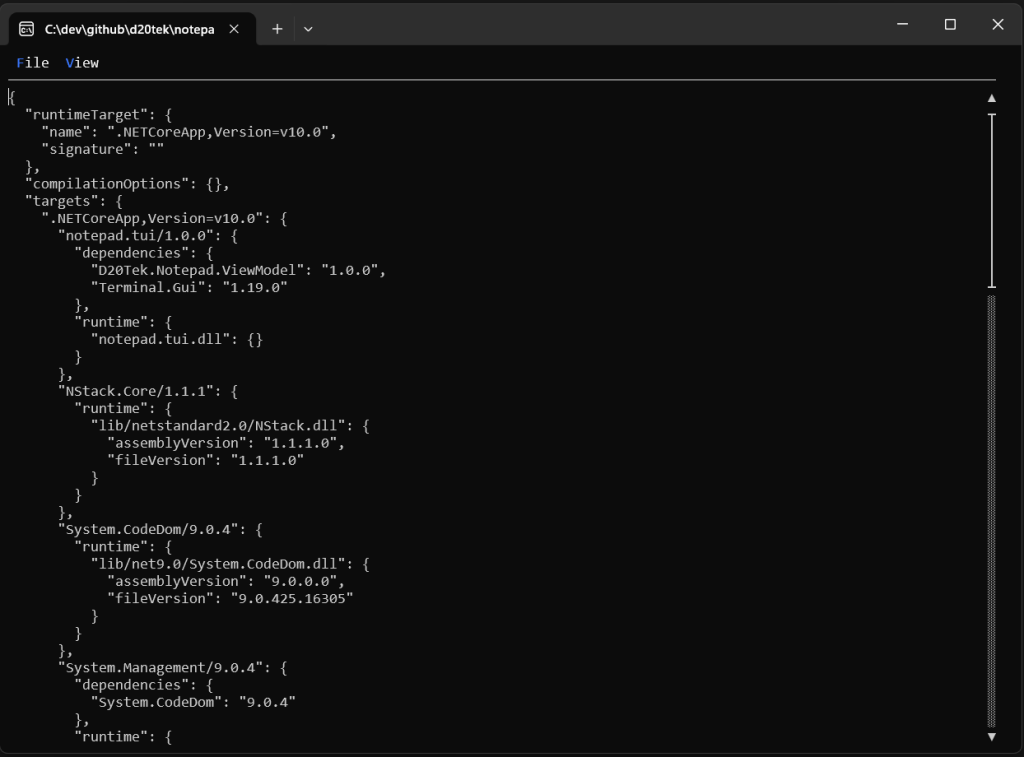
What’s Included in the Alpha (v0.1)
Even though this release is read‑only, it already delivers a polished and complete text‑viewing experience.
Smooth Navigation
Notepad.Net TUI gives you fluid, responsive movement through your document. You can navigate with the arrow keys, jump by pages, or move instantly to the start or end of a line. The scroll wheel works naturally, and the caret always stays visible as you move. You can even click to reposition the caret or drag to select text, making the viewer feel far more interactive than traditional terminal pagers.
Accurate Rendering
The viewer uses a custom renderer built on Terminal.Gui to ensure that text is displayed cleanly and consistently. Caret positioning is pixel‑precise, selection highlighting is crisp, and the layout behaves the same across different terminals. Whether you’re reading logs, code, or configuration files, the text appears exactly where you expect it.
Viewport Intelligence
The viewer automatically adjusts to the size of your terminal window. It keeps track of which lines are visible, scrolls intelligently both vertically and horizontally, and handles long lines without breaking the layout. Redraws are efficient, so even large files feel responsive.
Scrollbars
Both vertical and horizontal scrollbars are included, giving you a clear visual indicator of where you are in the document. They update in real time as you move, resize the window, or load new content. When the content fits within the viewport, the scrollbars hide themselves to keep the interface clean.
Word Wrap
The alpha includes classic Notepad‑style word wrapping. You can toggle wrapping at runtime, and the viewer correctly adjusts caret movement and selection behavior when lines wrap across multiple rows. This makes reading long paragraphs or documentation far more comfortable.
File Loading
The viewer loads typical text files quickly and supports UTF‑8 out of the box. It handles large line counts gracefully and is designed to scale as future versions introduce advanced large‑file handling. You can load files by either:
- Pass the filename as a command-line argument when calling notepad.tui.exe.
- Launch the File>Open dialog from the TUI menu bar.
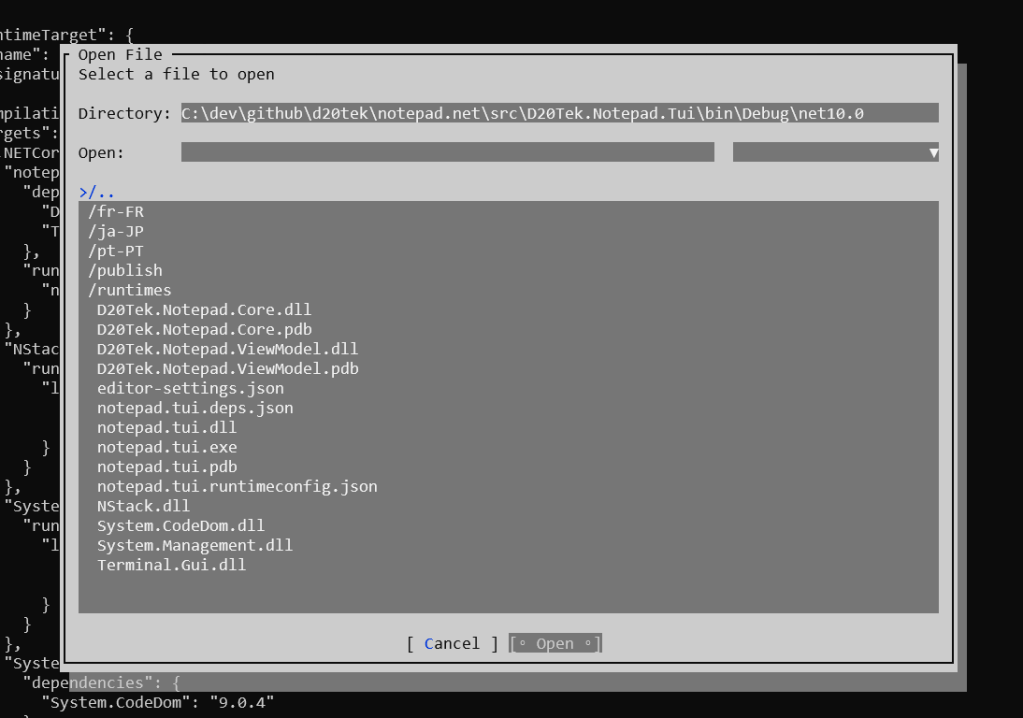
This release is intentionally read‑only. Editing, saving, and file mutation are coming in future phases.
Display Font
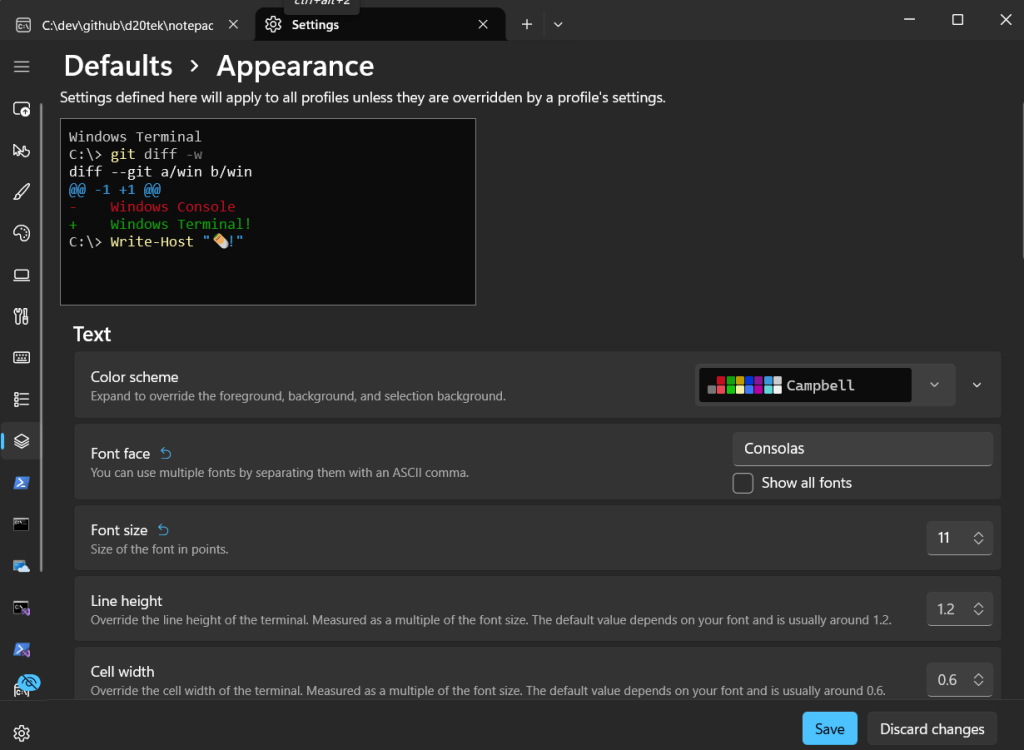
Because this is a terminal application, it does have a few restrictions that are common to many terminal applications. The font use for the app is whatever is set in your terminal window. That means by default it will look different from native applications, like native Notepad. But you control the fonts for your terminals, and can change the font to be closer to the native by setting the font name to Consolas and the font size to 11.
Navigating a Document
The alpha includes a complete set of intuitive navigation and selection commands. If you’ve used Notepad—or any classic text editor—you’ll feel right at home.
Keyboard Navigation
| Action | Keybinding |
|---|---|
| Move left | ← |
| Move right | → |
| Move up | ↑ |
| Move down | ↓ |
| Jump to start of line | Home |
| Jump to end of line | End |
| Page up | PageUp |
| Page down | PageDown |
| Jump to top of file | Ctrl+Home |
| Jump to bottom of file | Ctrl+End |
| Scroll vertically | Mouse wheel up/down |
Selection
| Action | Keybinding |
|---|---|
| Select left | Shift+← |
| Select right | Shift+→ |
| Select up | Shift+↑ |
| Select down | Shift+↓ |
| Select to start of line | Shift+Home |
| Select to end of line | Shift+End |
| Select page up | Shift+PageUp |
| Select page down | Shift+PageDown |
Mouse Support
| Action | Behavior |
|---|---|
| Click | Move caret |
| Click + drag | Select text |
| Scroll wheel | Vertical scrolling |
These bindings are intentionally minimal and intuitive, so you can start using the viewer immediately without memorizing a new command set.
What’s Coming Next
This alpha lays the groundwork for a full terminal‑based editor. Future releases will introduce the features you expect from a modern Notepad‑style environment.
Editing & Saving
- Insert, delete, and replace text
- Undo and redo
- Save with encoding options
- Save As support
Large File Support
- Memory‑mapped file loading for multi‑gigabyte files
- Streaming support for huge logs
- Partial rendering for extremely large documents
Search & Replace
- Incremental search
- Highlighted matches
- Replace one or replace all
Status Bar & UI Polish
- Line and column indicators
- File name display
- Encoding and file state information
Each phase builds on the same architectural principles: clean layering, predictable behavior, and a focus on developer empowerment.
Try the Alpha Today
Install the tool globally:
dotnet tool install --global notepad.tui
This release is intentionally scoped and stable, giving you a dependable, familiar, and fast way to read text files directly inside your terminal. If you’ve ever wanted the simplicity of Notepad without leaving the command line, Notepad.Net TUI is built for you.
 DarthPedro's Blog